Step 1: Identify Your Primary Use Case
Different uses demand different specifications. Be honest with yourself about how you'll actually use your laptop, not how you wish you'd use it.Students & Office Workers
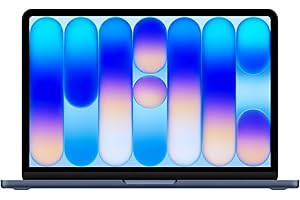
For essays, spreadsheets, and video calls, a MacBook Air or MacBook Neo is hard to beat. The Apple M-series chips deliver exceptional battery life (15+ hours), fanless silent operation, and enough power for any productivity task. If you're on a budget, a quality Chromebook handles all browser-based work excellently.Home & Entertainment
A laptop with a good display and speakers matters most here. Look for at least 1080p resolution, IPS panel technology for wide viewing angles, and 8+ hours of battery life for couch surfing without the power cord.Step 2: Understand the Specs That Matter
- RAM: 16GB is the sweet spot for most users. 8GB is fine for basic tasks. 32GB is for professionals running demanding applications.
- Storage: SSD is non-negotiable—never buy a laptop with a hard drive. 256GB minimum, 512GB preferred.
- Battery: Look for "up to X hours" claims but verify with real-world reviews. Apple's ARM chips consistently outperform Intel and AMD in battery life.
- Display: IPS LCD is the minimum standard. OLED delivers richer colors and true blacks but at a premium price.
Step 3: Don't Overbuy
The most common mistake is buying more laptop than you need. If you only browse the web and write documents, a mid-range Chromebook or MacBook Air serves you better than a gaming laptop with RTX graphics you'll never use.Our Recommendation
For most people in 2026, the MacBook Air (M5) is the best all-around laptop. It's fast, has 18-hour battery life, weighs just 2.7 pounds, and will last 5+ years without slowing down.As an Amazon Associate, GoDealPicks earns from qualifying purchases. Prices are approximate and may vary.